Direct Booking Website Setup Guide for Vacation Rental Owners
Unlock revenue with our direct booking website setup guide. Learn to create a powerful vacation rental site in just a weekend!

Direct Booking Website Setup Guide for Vacation Rental Owners
The fastest reliable path to a live, revenue-generating direct booking site is a purpose-built vacation rental platform like Lodgify paired with a custom domain. You get a booking engine, calendar sync, and payment processing in a single setup, typically live within a weekend. If you prioritize SEO control and long-term flexibility, WordPress with a booking plugin is the stronger play. If you already have a site, embed a booking widget and connect Stripe in an afternoon.
Your immediate next three steps:
- Single-property owner: Check domain availability for your property name, start a Lodgify trial, and run a test iCal sync with your Airbnb calendar before you accept a single booking.
- Multi-property manager: Register your domain, set up WordPress with a booking plugin (MotoPress is a proven option), and configure two-way channel sync through a PMS before launch.
- Tech-curious owner with an existing site: Embed a Lodgify or similar booking widget on your current site, connect Stripe, and test a full checkout on both desktop and mobile.
One critical expectation to set now: a direct booking site converts warm demand. It rarely creates demand from scratch. Hosts who reach a 30% direct-share typically already have strong OTA occupancy, a solid review base, and repeat or referral interest building. Build the site when that foundation exists.
Table of Contents
- Why does a direct booking website matter for your vacation rental?
- What must your vacation rental site include to convert guests?
- What are the three build paths, and which one fits your situation?
- How should you handle domain registration, hosting, and SSL?
- How do you sync calendars and prevent double bookings?
- How do you set up payments, deposits, and tax collection?
- What trust signals and policies reduce friction at checkout?
- How do you get your first direct bookings and build lasting traffic?
- What does your launch checklist look like?
- How does integrating a PMS and automation platform change your operations?
- Key Takeaways
- What experienced managers actually do differently
- Realtevoos handles the operations layer your direct site can’t
- Useful sources and official references
Why does a direct booking website matter for your vacation rental?
OTA fees are the most obvious reason. Airbnb charges guests a service fee and takes a host fee on top. Vrbo structures fees differently but the math lands in a similar range. Every booking you shift to your own site keeps that margin in your pocket.

Beyond fees, you own the guest relationship. When a guest books through an OTA, the platform owns the contact data. When they book through your site, you capture their email, their preferences, and the ability to market to them directly before their next trip. That email list compounds in value over time in a way that OTA reviews never do.
Control over pricing and policy is the third lever. Your site lets you set your own cancellation terms, offer early-booker discounts, and run promotions without platform restrictions. A direct site also functions as your booking channel strategy anchor: OTAs drive discovery, your site captures repeat and higher-value bookings.
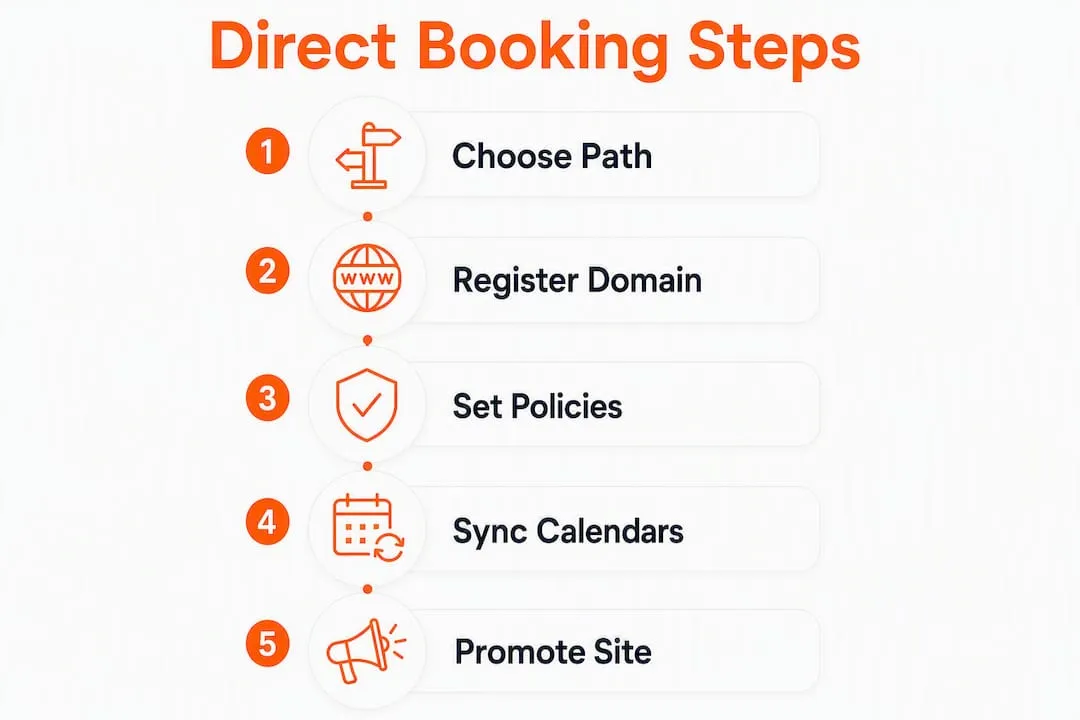
The strategic reality: your direct site is a conversion tool, not a traffic machine. It works best alongside OTAs, not instead of them.
What must your vacation rental site include to convert guests?
Speed and clarity beat elaborate design every time. Guests who land on your site already have intent. Your job is to remove friction, not impress them with animations.
Non-negotiable page elements
| Element | Why it matters | Priority |
|---|---|---|
| Availability calendar with real-time rates | Guests check dates first; a stale calendar kills trust | Day one |
| Booking engine with checkout | A site without payments is a brochure, not a booking engine | Day one |
| Clear pricing and extra fees | Hidden fees are the top reason guests abandon checkout | Day one |
| Professional photo gallery | Photos drive the emotional decision to book | Day one |
| Amenities list and property details | Reduces pre-booking questions and support load | Day one |
| Short review snippets | Social proof near the checkout button lifts conversion | Day one |
| Local area guide | Supports SEO and guest confidence | Week one |
| Contact and arrival info | Reduces post-booking anxiety | Day one |
| Rental agreement link | Required before accepting payment | Day one |
UX priorities that actually move bookings
- Mobile-first layout: Most guests check availability on a phone. A site that renders poorly on mobile loses bookings before the calendar even loads.
- Availability check above the fold: The date picker should be the first interactive element a guest sees, not buried below a hero image.
- SSL certificate and payment logos: Visible trust signals near the checkout button reduce abandonment. Guests notice the padlock.
- Lightweight images: Compress photos to under 200KB each. Slow load times on mobile are a direct conversion killer.
Content tip: write unique property copy for your site. Copying your Airbnb description word-for-word creates duplicate content that hurts your Google rankings. Name your images descriptively (e.g., blue-ridge-cabin-living-room.jpg) and write alt text that includes your location and property type.
What are the three build paths, and which one fits your situation?
Each path has a real cost, a real skill requirement, and a real maintenance burden. Pick the one that matches your time and technical comfort, not the one with the most features.
Build path comparison
| Path | Setup cost (est.) | Technical skill | Maintenance | Booking engine | Channel sync | Payments | Best for |
|---|---|---|---|---|---|---|---|
| Purpose-built platform (e.g., Lodgify) | $15–$35/month | Low | Low (managed) | Built-in | Two-way, built-in | Built-in or Stripe | Single host, fast launch |
| WordPress + booking plugin (e.g., MotoPress) | — | Medium–High | Medium–High | Plugin-based | Plugin or PMS | Stripe or gateway | SEO-focused, control-first owner |
| Booking widget on existing site | — | Low | Low | Embedded widget | iCal or two-way | Stripe | Existing site owners |
Step checklist: purpose-built platform (Lodgify)
- Register your domain (Namecheap or Google Domains).
- Start a Lodgify trial and create your property profile.
- Upload photos, set rates, and configure extra fees.
- Connect your Airbnb and Vrbo calendars via iCal or two-way sync.
- Set up Stripe as your payment processor inside Lodgify.
- Add your rental agreement and cancellation policy to the checkout flow.
- Run two test bookings (desktop and mobile) before publishing.
- Point your custom domain to Lodgify and enable HTTPS.
Step checklist: WordPress + MotoPress
- Buy domain and hosting (SiteGround or WP Engine are solid managed options).
- Install WordPress and a vacation rental theme (MotoPress Hotel Booking plugin is the 11-step standard).
- Configure property pages, rates, and availability rules.
- Install and connect a payment gateway (Stripe).
- Set up iCal sync or connect a channel manager for two-way sync.
- Add SSL, configure HTTPS redirect, and set up a domain-based email address.
- Test checkout end-to-end on desktop and mobile.
- Submit your sitemap to Google Search Console.
Step checklist: booking widget on existing site
- Create a Lodgify (or equivalent) account and configure your property.
- Generate the booking widget code from the platform dashboard.
- Embed the widget on your homepage and a dedicated booking page.
- Connect Stripe for payment processing.
- Sync your OTA calendars via iCal.
- Test a full booking flow before announcing the site.
How should you handle domain registration, hosting, and SSL?
Your domain name is your brand. Keep it short, brandable, and ideally include a destination keyword (e.g., BlueMountainCabinRentals.com). Always buy the .com when available. Register a matching domain-based email address (e.g., hello@yourdomain.com) rather than using a Gmail address. It signals professionalism and improves email deliverability.
Hosting by build path:
- Purpose-built platforms (Lodgify): Hosting is included. You point your custom domain to their servers and skip the hosting decision entirely.
- WordPress: Use managed WordPress hosting. SiteGround’s GrowBig plan or WP Engine’s Startup plan handle security updates and backups without requiring server knowledge. Expect $15–$35/month.
- Booking widget on existing site: Your current host handles it. No change needed.
Security checklist before accepting any payment:
- Install an SSL certificate (free via Let’s Encrypt on most hosts; included on managed platforms).
- Force HTTPS redirect so no page loads over HTTP.
- Use Stripe as your payment processor. Stripe’s architecture reduces your PCI compliance scope significantly compared to self-hosted payment forms.
- Never store raw card data on your server or in your booking plugin database.
- Set up domain-based email to avoid spam filters on confirmation emails.
How do you sync calendars and prevent double bookings?
Calendar sync is where most direct booking sites fail in the first 90 days. A double booking damages guest trust and can trigger OTA penalties. Get this right before you accept a single reservation.

iCal vs. two-way sync:
iCal is simple and universally supported, but it carries latency. Most platforms refresh iCal feeds every 15 minutes to a few hours. For a single-property host with low booking volume, that lag is usually manageable. For multi-channel hosts or anyone running more than two or three properties, a two-way channel manager or PMS sync is the right call. Near-real-time updates eliminate the latency window where a double booking can slip through.
Sync validation checklist:
- Connect your Airbnb and Vrbo iCal feeds to your booking engine.
- Block a test date on Airbnb and confirm it appears blocked on your direct site within the expected refresh window.
- Create a dummy reservation on your direct site and verify it blocks the same dates on your OTA calendars.
- Test a cancellation: cancel the dummy reservation and confirm the dates open up on all channels.
- Check time-zone settings. A mismatch between your booking engine and your OTA account is a common source of phantom blocks.
Pro Tip: When your portfolio reaches three or more properties across two or more channels, stop relying on iCal alone. A channel manager integration with two-way sync is the only reliable way to protect calendar integrity at scale. Demand these four things from any booking engine you evaluate: near-real-time two-way calendar sync, booking pages on your own domain, payments flowing directly to your account, and exportable guest data.
How do you set up payments, deposits, and tax collection?
Stripe is the standard choice for independent hosts. It reduces your PCI compliance scope, supports identity verification, handles refunds cleanly, and integrates with every major booking platform and WordPress plugin. Setting up a Stripe account takes under 30 minutes.
Checkout checklist:
- Enable SSL on every page of your site before connecting Stripe.
- Configure your deposit rules inside your booking engine (e.g., 30% at booking, balance 30 days before arrival).
- Set your refund and cancellation policy in the booking engine so it appears at checkout, not buried in a PDF.
- Run two live test transactions: one on desktop, one on mobile. Verify that confirmation emails arrive, receipts show the correct tax line items, and the calendar blocks immediately.
- Log every transaction in a spreadsheet or accounting tool from day one. Lodging tax audits happen, and clean records are your protection.
Tax and compliance basics:
- Display lodging taxes as a separate line item at checkout. Guests expect it; hiding it creates chargebacks.
- Collect the guest’s full name, email, and booking dates for every reservation. Most states require this for lodging tax filings.
- Check your county and state lodging tax registration requirements before you accept your first payment. Rules vary significantly by jurisdiction.
What trust signals and policies reduce friction at checkout?
Guests who reach your checkout page are close to booking. A missing cancellation policy or an unclear damage deposit rule is enough to send them back to Airbnb. Remove that uncertainty before it costs you a booking.
Non-negotiables:
- Visible refund and cancellation policy on the booking page, not just in a linked PDF.
- Full rental agreement accessible before payment is submitted.
- Privacy policy page (required if you use any tracking or analytics).
- Cookie notice if you run Google Analytics or Meta Pixel.
- Clear damage deposit rules: amount, when it is charged, and when it is returned.
Trust signals that work:
- SSL padlock visible in the browser bar.
- Stripe payment logo near the checkout button.
- Two or three stamped review snippets from real guests, placed near the price summary.
- Professional photos with consistent lighting and framing.
- A phone number or chat option for guests with last-minute questions.
Pro Tip: Place a one-line policy teaser directly above your “Book Now” button. Something like “Free cancellation up to 14 days before arrival — see full policy” reduces checkout abandonment more than any design change. Guests want to know the exit before they commit.
How do you get your first direct bookings and build lasting traffic?
Your site is live. Now it needs visitors. The highest-ROI move on day one is emailing every past guest you have contact information for. A short, personal note with a direct booking link and a small discount for returning guests converts at a rate no paid ad can match early on.
Prioritized traffic tactics:
- Email past guests first. If you have 20 past guest emails, that list is worth more than a $500 ad budget in the first 90 days.
- Update your property name on OTAs to include your brand name (e.g., “Blue Ridge Cabin by [Your Brand]”). Guests who search your name after an OTA stay find your direct site.
- Set up a Google Business Profile for your property. It surfaces your site in local map results and area searches without any ad spend.
- Post booking links on social. Instagram and Facebook posts with a direct booking link and a small early-booker discount drive low-cost traffic.
- Run a small paid social test. A $50–$100 Meta ad targeting past visitors or lookalike audiences is a low-risk way to test your checkout conversion rate.
SEO checklist for your direct site:
- Use your property name in the H1 tag of your homepage (e.g., “Blue Ridge Cabin: Vacation Rental in Asheville, NC”).
- Write a local area guide page targeting queries like “things to do near [your location].” It ranks, it builds trust, and it keeps guests on your site longer.
- Submit your sitemap to Google Search Console within 48 hours of launch.
- Add structured data (schema markup) for your property type. Most purpose-built platforms handle this automatically; WordPress requires a plugin.
- Name every image file with location and property type keywords before uploading.
For deeper vacation rental marketing tactics, a consistent email capture strategy in your footer and post-stay follow-up sequence compounds over time.
What does your launch checklist look like?
Run through every item below before you flip the site to live. Skipping even one creates a guest-facing failure that costs you a booking and your credibility.
Pre-launch checklist:
- [ ] Custom domain connected and HTTPS active.
- [ ] Two test bookings completed (desktop and mobile).
- [ ] Confirmation emails verified (guest copy and host copy).
- [ ] Calendar sync tested with a dummy reservation on each connected OTA.
- [ ] Rental agreement and cancellation policy live and linked at checkout.
- [ ] Privacy policy and cookie notice pages published.
- [ ] Google Analytics or equivalent installed and tracking.
- [ ] Sitemap submitted to Google Search Console.
- [ ] All images compressed and alt text written.
- [ ] Backup or guest data export configured.
Ongoing maintenance cadence:
- Weekly: Check calendar accuracy across all channels. Spot-check one test date on each OTA.
- Monthly: Review analytics for top landing pages, booking conversion rate, and traffic sources.
- Quarterly: Refresh photos if seasonal, review cancellation and damage policies, and test checkout on a new device.
- Annually: Confirm lodging tax registration is current, review rental agreement with a local attorney if needed, and audit your hosting and plugin versions.
Common failure points to watch: time-zone mismatches between your booking engine and OTA accounts, iCal lag creating a double-booking window, and expired SSL certificates breaking checkout trust signals.
How does integrating a PMS and automation platform change your operations?
A direct booking site handles the guest-facing transaction. A PMS and automation layer handles everything that happens after the booking is confirmed. For managers running three or more properties, the gap between those two layers is where hours get lost every week.
Integration checklist:
- Export guest data from your booking engine and import it into your PMS or CRM on a regular schedule (or automate the sync via API).
- Configure two-way calendar sync between your booking engine and your PMS so availability is always current across every channel.
- Set up automated guest messaging: booking confirmation, pre-arrival instructions, check-in details, and post-stay review request.
- Connect a dynamic pricing feed so your rates update automatically based on demand, seasonality, and competitor data.
- Export transaction records to your accounting tool for clean lodging tax reporting.
Operational use cases that save the most time:
- Auto-dispatch rental agreements via DocuSign immediately after booking confirmation.
- Trigger cleaning and turnover scheduling automatically when a checkout is confirmed.
- Send automated check-in messages 24 hours before arrival without manual intervention.
- Pull revenue and occupancy reports without building a spreadsheet from scratch each month.
Pro Tip: The trigger to move from manual to automated workflows is usually around three to five properties. Below that, manual processes are manageable. Above it, the coordination overhead compounds fast. Realtevoos consolidates these workflows in one platform, integrating with Airbnb, Vrbo, and common PMS tools to automate messaging, turn scheduling, and data integration without requiring a developer.
Key Takeaways
Building a direct booking site that actually generates revenue requires the right build path, a tested calendar sync, and a traffic strategy from day one.
| Point | Details |
|---|---|
| Choose the right build path | Purpose-built platforms like Lodgify suit single hosts; WordPress + MotoPress fits SEO-focused owners; widgets work for existing sites. |
| Calendar sync is non-negotiable | Test a dummy reservation on every connected channel before launch; iCal lag causes double bookings at scale. |
| Payments and policies first | Connect Stripe, publish your rental agreement and cancellation policy, and run two test checkouts before going live. |
| Traffic requires active effort | Email past guests first, set up a Google Business Profile, and submit your sitemap to Search Console within 48 hours of launch. |
| Realtevoos for operations at scale | Realtevoos automates messaging, turn scheduling, and calendar sync across multiple properties, reducing manual coordination overhead. |
What experienced managers actually do differently
The most common mistake I see is treating the tech stack as the project. Hosts spend weeks evaluating platforms, comparing plugins, and debating themes, then launch a site with a broken calendar sync and no rental agreement in the checkout flow. The tech is the easy part. The operational readiness is where most sites fail.
Experienced managers do three things differently. First, they launch simple. A Lodgify-hosted site with a custom domain, Stripe, and a working iCal sync beats a custom WordPress build that takes three months and still has a misconfigured payment gateway. Speed to a tested, functional booking flow matters more than feature completeness on day one.
Second, they treat calendar integrity as the highest-priority operational task, not an afterthought. A double booking on a direct site is worse than one on an OTA because you have no platform support team to mediate. Before accepting a single reservation, they run the full sync test: dummy booking, cancellation, time-zone check, and latency window verification.
Third, they invest in email capture from the first booking. Every guest who books through your site should receive a post-stay email asking for a review and offering a returning-guest discount. That loop, compounding over 12–18 months, is what makes a direct site genuinely profitable rather than just a fee-avoidance exercise.
The sites that fail are the ones that launch without a traffic plan. A website is not a marketing channel. It is a conversion tool. You still have to send people to it.
Realtevoos handles the operations layer your direct site can’t
Running a direct booking site means you own the guest relationship. But between the confirmed booking and the five-star review, there are dozens of operational tasks: messaging, cleaning coordination, agreement dispatch, revenue reporting, and calendar management across every channel. Doing that manually across multiple properties is where growth stalls.
Realtevoos is built for exactly that gap. It connects directly to your booking engine, Airbnb, and Vrbo to automate guest messaging, turn scheduling, dynamic pricing updates, and owner reporting from a single dashboard. Property managers using Realtevoos report saving several hours per week on coordination tasks alone, without adding headcount.
If you are managing three or more properties and your direct site is live, the next bottleneck is not more traffic. It is operational capacity. Realtevoos gives you the operations command center to handle that scale without the manual overhead. See what the platform does for your portfolio and start a trial at realtevoos.com.
Useful sources and official references
Before you finalize your setup, verify local lodging tax and short-term rental registration requirements with your county and state authorities. Rules vary by jurisdiction and change frequently. No article substitutes for checking with your local government directly.
Authoritative references for deeper reading:
- Direct Booking Website Playbook for Vacation Rentals | Cavmir Learn — demand criteria, 90-day launch plan, and booking engine requirements.
- How to Build a Direct Booking Website in 11 Steps | MotoPress — WordPress-specific setup workflow from domain to channel sync.
- How to Create a Direct Booking Website | MaverickSTR — cost comparisons and WordPress + MotoPress cost examples.
- How to Build a Direct Booking Website | Boostly — iCal latency guidance and channel manager recommendations.
- How to Create a Direct Booking Website | Conduit — booking engine priorities and checkout essentials.
- How to Build a Direct Booking Website (Squarespace + Lodgify Guide) | Marta Lebre — practical Lodgify widget setup and SEO fundamentals.
- VRMA (Vacation Rental Management Association) — industry standards and professional resources for property managers.
- Realtevoos Blog: Types of Booking Channels — how direct sites fit into a multi-channel strategy.
- Realtevoos Blog: Multi-Channel Booking Management — preventing double bookings and channel manager integration.
This article is general information for educational purposes. Confirm current lodging tax rates, registration requirements, and legal obligations with your state, county, or a qualified professional before accepting payments.