Audit First: Automate Guest FAQs in 1–2 Weeks for Property Managers
An ops-first plan for property managers to set up guest FAQ automation in 1–2 weeks: audit messages, build reservation-aware templates, test in a sandbox,...
Audit First: Automate Guest FAQs in 1–2 Weeks for Property Managers
Yes, guest FAQ automation works, and it works fast. A knowledge base paired with reservation-aware triggers can resolve the majority of repetitive questions (Wi-Fi codes, checkout times, parking rules) without a human touching the inbox. Property managers running this correctly report faster replies and a significant number of hours of staff time saved weekly, with platforms like RealtevoOS built specifically to consolidate that workflow across an entire portfolio.
TL;DR:
- Automating guest FAQs reduces repetitive questions about Wi-Fi, check-in instructions, and parking, saving staff hours and improving response times.
- Setting up effective automation requires auditing existing messages, creating reservation-aware templates, testing in a sandbox, and regularly updating knowledge bases.
- A multi-touch messaging sequence aligned with the guest journey enhances communication without overwhelming guests, especially for long or last-minute bookings.
- Monitoring auto-resolve and escalation rates, along with quarterly knowledge audits, ensures the system answers questions accurately and maintains compliance.
- Most property managers see benefits by focusing initially on high-volume questions for one channel or property before expanding automation across their portfolio.
Table of Contents
- What Guest FAQ Automation Actually Does
- How Do You Set Up FAQ Automation Step by Step?
- What Message Cadence and Timing Works Best?
- How Do You Monitor Accuracy and Handle Escalations?
- What Results Do Property Managers Actually See?
- Why Most Property Managers Automate the Wrong Things First
- Ready to Automate Your Guest Communication?
- Sources
What Guest FAQ Automation Actually Does
Guest FAQ automation is not a single tool. It is four components working together: a knowledge base holding your property answers, a conversational AI or rule engine that matches guest questions to those answers, triggers that fire messages at the right moment in the stay, and a unified inbox where everything lands for human oversight. Miss one piece, like a knowledge base with stale checkout instructions, and the whole system produces confident wrong answers instead of no answer at all.
The biggest impact shows up at predictable points in the guest journey: pre-arrival (door codes, directions), check-in day (Wi-Fi, house rules), mid-stay (local recommendations, minor issues), and post-stay (review requests). Industry guidance on guest journey mapping recommends targeting whichever of these stages generates the most frequent guest inquiries first, rather than trying to automate everything at once.
What changes operationally once this runs well:
- Repetitive questions about access codes, Wi-Fi, and parking stop landing in your personal inbox at 11 p.m.
- Response times drop from hours to seconds for anything the knowledge base already covers.
- Staff spend their time on genuine problems (a broken AC, a lockout) instead of retyping the same directions.
- Consistency improves because every guest gets the same accurate answer, not whatever a tired manager remembers at midnight.
AI that reads your property listing and reservation data directly, rather than relying on static canned replies, handles context-sensitive questions like “what time is checkout for my reservation” without a manager typing a word.
How Do You Set Up FAQ Automation Step by Step?
Setting this up correctly takes a week, maybe two, if you follow a sequence instead of trying to automate everything simultaneously.
- Audit your message logs. Pull the last several weeks of guest messages across every channel and tag the recurring topics. Most managers find that ten question types account for the bulk of inbound volume, things like entry instructions, Wi-Fi passwords, and late checkout requests.
- Author reservation-aware answers. Write templates using merge fields (guest name, check-in date, door code, unit number) so one answer template serves every reservation instead of a hundred manual variations. Store these in a central knowledge base your AI or rule engine can query.
- Pick your channels deliberately. OTA messaging (Airbnb, Vrbo) works for pre-booking and early-stay questions but often restricts external links. SMS and WhatsApp suit time-sensitive updates like arrival instructions. Webchat on your direct booking site handles pre-arrival questions from guests who booked without an OTA in the loop.
- Build triggers with conditional logic. A pre-arrival message might fire 48 hours before check-in for stays under seven nights, but 5 days out for longer stays. A direct booking might skip OTA-restricted phrasing entirely, while an Airbnb reservation needs platform-compliant formatting.
- Test in a sandbox, then soft launch. Run the automation against dummy reservations first to catch broken merge fields or wrong trigger timing. Then activate it for a small slice of real bookings, maybe 20%, before rolling it out portfolio-wide.
- Set a 30-day checkpoint. Review inbound volume, response accuracy, and where guests still escalate to a human, then adjust templates before scaling further.
Pro Tip: Block time on your calendar for the sandbox test and soft launch review before you go live. Tools like Calendly make it easy to reserve those check-in windows so testing doesn’t get pushed aside by daily operations.
What Message Cadence and Timing Works Best?
A multi-touch cadence covers the full guest lifecycle without overwhelming anyone’s inbox, and it is the sequence most automated messaging guides for short-term rental hosts converge on: booking confirmation, pre-arrival, day-of check-in, mid-stay check, checkout reminder, and post-stay review request.
Each touch has a job. The booking confirmation sets expectations immediately. Pre-arrival (typically 24 to 72 hours out) delivers access details before anxiety sets in. Day-of check-in confirms Wi-Fi and house specifics the moment they matter. A mid-stay check, sent around day two or three for longer bookings, catches small issues before they become bad reviews. The checkout reminder prevents late departures and fee disputes. The post-stay message asks for a review while the experience is still fresh.
Exceptions matter here. A last-minute booking made hours before arrival needs a compressed cadence, sometimes collapsing three touches into one message. Long stays (three weeks or more) need an added mid-stay touch every seven to ten days rather than a single check-in.
Prepare template buckets in advance:
- Access information (door codes, parking instructions)
- Wi-Fi and utility basics
- Local recommendations (restaurants, transit)
- Policy reminders (quiet hours, pet rules, checkout time)
Include merge fields for guest name, unit number, and check-in and checkout dates in every bucket. One caution: OTA channels like Airbnb often restrict sharing external links and certain formatting in automated messages, so route link-heavy content (like a full local guide) through direct channels or your own guest onboarding flow instead.
How Do You Monitor Accuracy and Handle Escalations?
Automation without governance is how a wrong answer reaches fifty guests before anyone notices. Track four numbers monthly: auto-resolve rate (percentage of questions the system answers without human input), average response time, escalation rate, and guest satisfaction scores tied to communication.
Confidence thresholds decide when a bot answers and when a human step in. Set the system to escalate automatically on anything outside a defined confidence range, and route those escalations with full conversation context so staff aren’t starting from zero. Operator guidance on rental technology consistently makes the same point: automation should absorb the repetitive volume, but complex or emotionally charged guest issues still need a person.
Maintenance is not optional. Run a quick monthly check of flagged responses, then a deeper quarterly audit of the entire knowledge base. Update triggers immediately after any policy change, whether it’s a new checkout time or a revised pet fee.
- Auto-resolve rate and escalation rate, tracked side by side monthly
- Confidence thresholds tied to automatic human handoff
- Quarterly knowledge base audits, not just monthly spot checks
- A privacy checklist confirming guest data (phone numbers, ID info) stays within compliant, access-controlled systems
What Results Do Property Managers Actually See?
RealtevoOS was built around this exact problem: fragmented guest communication spread across Airbnb, Vrbo, and direct booking inboxes, with no single system tying it together. The platform integrates directly with Airbnb and Vrbo, consolidating messages into one dashboard so automated responses draw from live reservation data instead of static templates.
Property managers running multi-property portfolios on RealtevoOS report saving several hours per week once communication is consolidated and automated, alongside a noticeable drop in repetitive inbound questions. Onboarding for a mid-size portfolio typically runs two to four weeks, covering PMS integration, knowledge base setup, and a supervised testing period before full handoff.
What that onboarding window actually includes:
- Connecting your existing PMS and OTA accounts so reservation data flows into the automation engine
- Building out the FAQ knowledge base from your current message history
- A supervised rollout period where flagged responses get reviewed before full automation
- Ongoing access to guest communication playbooks, including guest communication best practices for refining templates post-launch
For a deeper look at where automation fits across the entire guest lifecycle, RealtevoOS’s own team has published a longer breakdown on the role of automation in guest experience.
Why Most Property Managers Automate the Wrong Things First
The instinct is to automate everything at once. That’s backward, and it’s the single biggest reason FAQ automation projects stall or produce embarrassing mistakes. The property managers who get real value start narrow: the ten highest-volume questions, one channel, one property type, then expand once the accuracy numbers hold up.
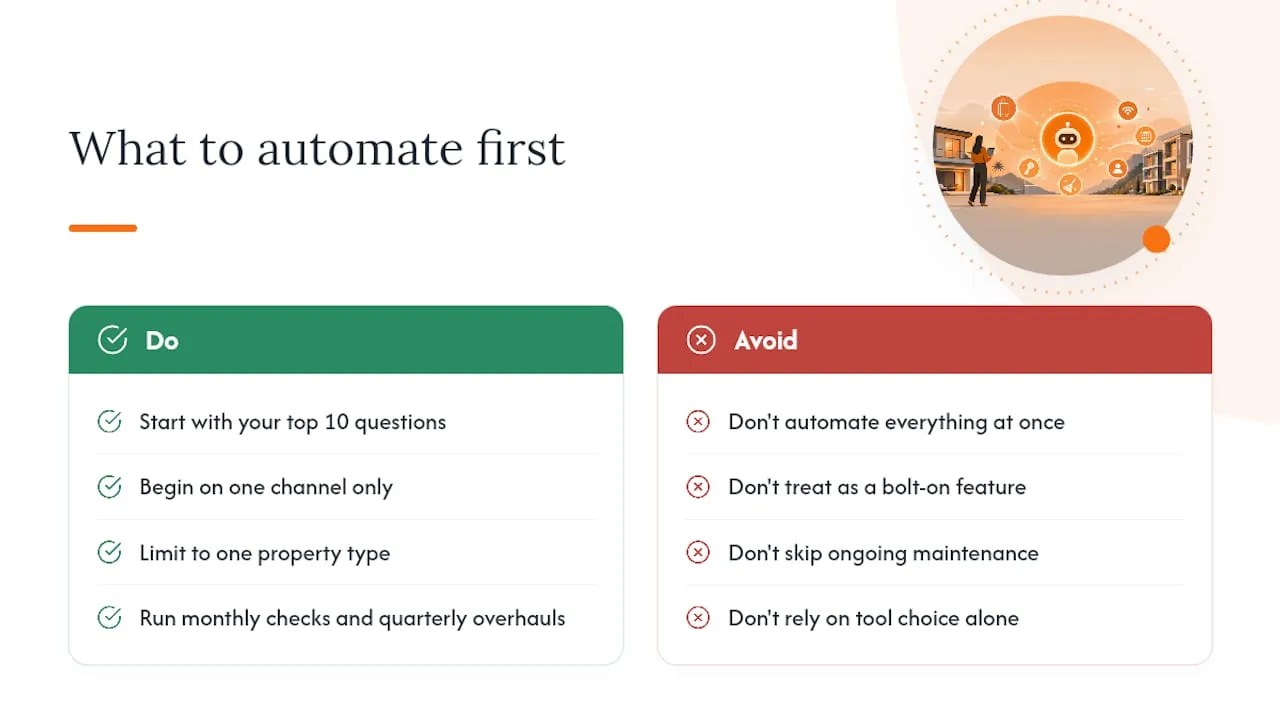
Conventional advice treats FAQ automation as a messaging feature, something you bolt onto your existing inbox and forget about. That undersells it. The real value comes from treating it as a living system that needs a monthly glance and a quarterly overhaul, the same way you’d treat pricing or cleaning schedules. Skip the maintenance and you end up with a bot confidently telling guests about a pool that closed for the season two months ago.
If you take one thing from this guide, prioritize the audit step over the automation step. Knowing exactly which ten questions eat your team’s time matters more than which tool you buy to answer them. Get that inventory right, and almost any reasonable system will perform. Get it wrong, and no amount of AI sophistication saves you from answering the wrong questions quickly.
— Jose Villeda
Ready to Automate Your Guest Communication?
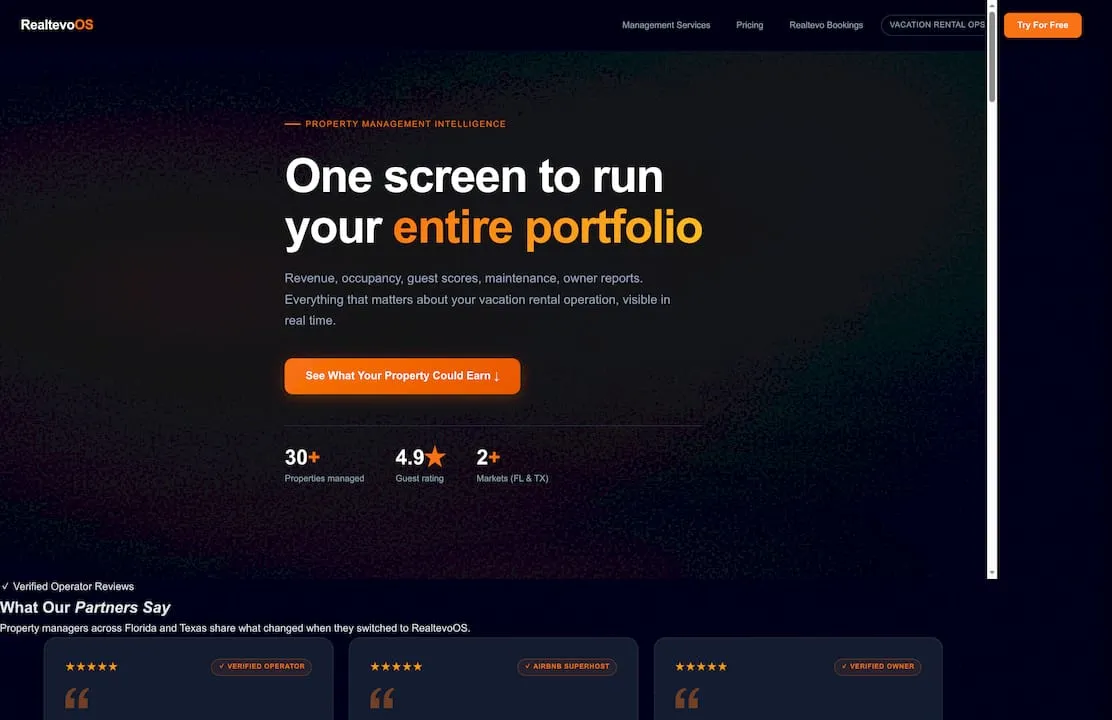
Most FAQ automation tools handle one channel or one property well. RealtevoOS was built for portfolios, consolidating Airbnb, Vrbo, and direct booking messages into a single unified inbox with an AI knowledge base that answers reservation-aware questions automatically, not just generic template replies.
This fits property managers running five properties or fifty, where message volume across scattered inboxes is already the bottleneck. Expect PMS and OTA integration, knowledge base setup pulled from your existing listings, and a supervised testing window before automation runs unattended, all part of onboarding rather than something you configure alone. Managers report saving several hours weekly once it’s running and fielding far fewer repetitive questions.
If your team is still copying and pasting the same check-in instructions fifteen times a week, start with a look at the RealtevoOS command center and see what a consolidated inbox actually looks like for a portfolio your size.
Sources
- A practical guide to guest journey automation for small hotels and B&Bs
- The complete automated messaging system for short-term rental hosts: templates, timing, and tools
- How technology transforms rental management today | StayOver