How to Monitor Occupancy Rates for Vacation Rentals
Learn how to monitor occupancy rates for vacation rentals effectively. Discover tools and strategies to improve pricing and enhance guest experiences.

How to Monitor Occupancy Rates for Vacation Rentals
Occupancy rate monitoring is the practice of measuring how often your rental properties are physically occupied versus available, using verified data rather than booking records alone. Property managers who track occupancy levels accurately gain a direct line to smarter pricing, leaner operations, and better guest experiences. The gap between what your calendar shows and what is actually happening at your property is wider than most managers expect. This guide covers the tools, steps, and troubleshooting methods you need to close that gap and put real occupancy data to work.
How to monitor occupancy rates: data sources and tools
The first thing to understand is that booking data and actual occupancy data are not the same thing. Booking records overstate real occupancy by 15–25% due to ghost bookings, where guests reserve a property but never check in. That gap means your reported utilization is inflated before you even start analyzing it.
Accurate occupancy tracking requires at least two data streams: one for booking intent and one for physical presence. The most common physical presence technologies are passive infrared sensors (PIR), AI-enhanced cameras, Wi-Fi tracking, and badge or keypad entry logs. Each has trade-offs.
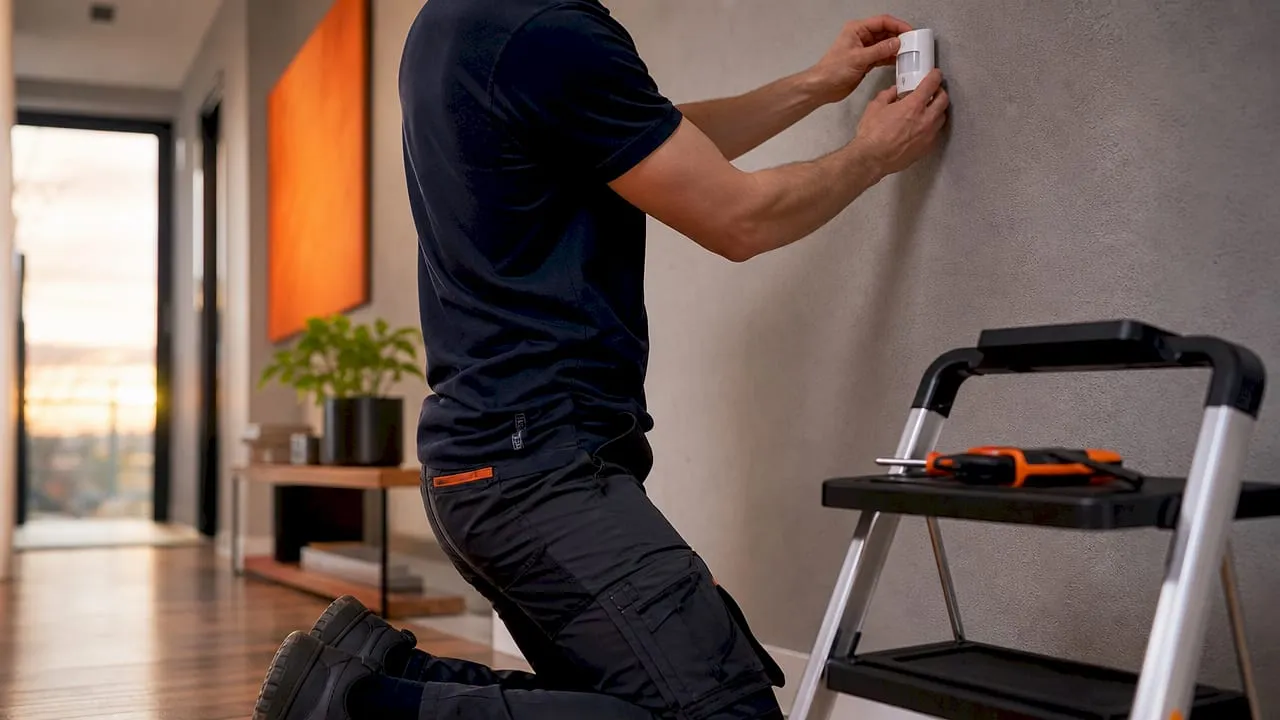
PIR and AI-based sensors detect occupancy with up to 95% accuracy and process data locally, which protects guest privacy. Wi-Fi tracking captures device presence but misses guests who turn off their phones or use airplane mode. Badge and keypad logs confirm entry but cannot tell you whether a guest is still inside. No single method covers every scenario.
The table below compares the four main tracking methods across the dimensions that matter most for vacation rental managers.
| Method | Accuracy | Privacy risk | Cost level | Best use case |
|---|---|---|---|---|
| PIR sensors | Up to 95% | Low | Low to medium | Continuous presence detection |
| AI-enhanced cameras | High | Medium | Medium to high | High-traffic common areas |
| Wi-Fi tracking | Moderate | Medium | Low | Multi-room coverage |
| Keypad or badge logs | Moderate | Low | Low | Entry and exit confirmation |
Combining two or more of these methods produces the most reliable picture. Multi-source integration supports optimized resource control and significantly higher occupant comfort scores. For vacation rentals specifically, pairing keypad entry logs with PIR sensors covers both the check-in event and ongoing presence throughout the stay.
Pro Tip: Never rely on a single data source for occupancy decisions. A guest who checks in via keypad but leaves early will still show as “occupied” in your booking system. A PIR sensor catches the departure.
How to set up a step-by-step occupancy tracking process
Setting up a reliable occupancy tracking workflow takes preparation before it takes technology. Start by assessing each property for sensor placement, connectivity, and access points. Properties with open floor plans need fewer sensors than multi-room units. Align with your cleaning and maintenance teams early, since they will interact with the system daily.
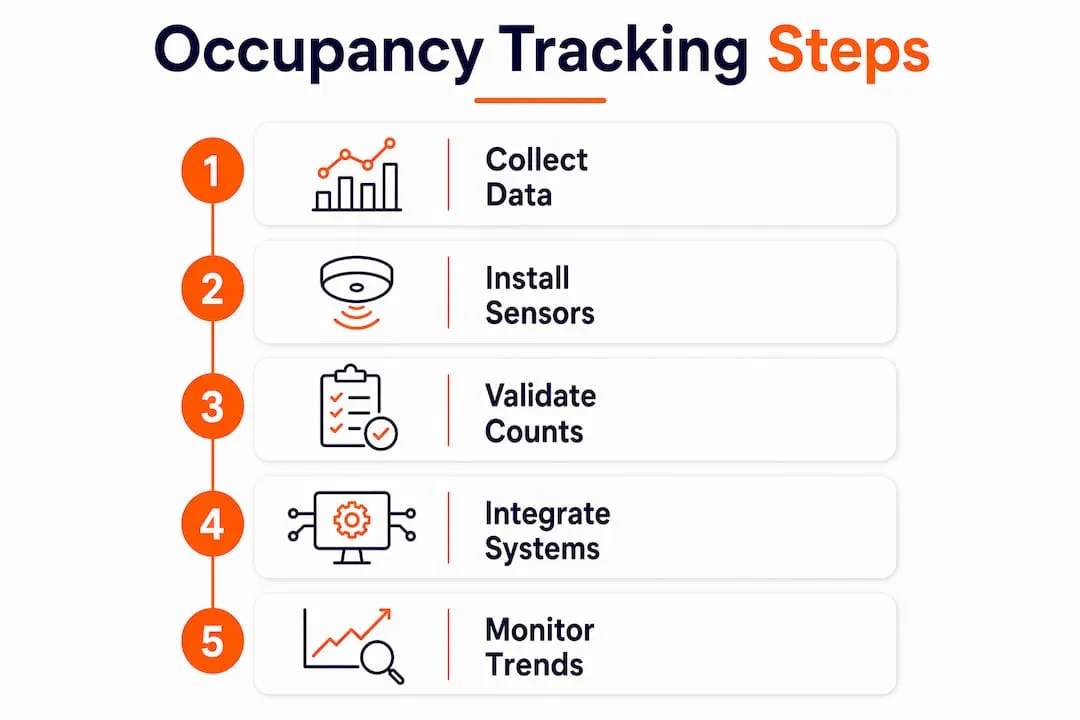
Step 1: Collect baseline booking data. Pull your reservation records from Airbnb, Vrbo, or your property management system for the past 12 months. Calculate your raw occupancy rate by dividing booked nights by available nights. This number is your starting benchmark, not your true occupancy figure.
Step 2: Deploy sensors or secondary verification. Install PIR sensors at entry points and in main living areas. For properties with keypad locks, configure the system to log entry and exit timestamps. This layer confirms whether a booked guest actually arrived and when they left.
Step 3: Calibrate and validate with manual spot checks. Physically counting occupants in test zones over two weeks helps you set accurate sensor thresholds and eliminate false positives caused by pets, moving curtains, or HVAC airflow. Run spot checks at different times of day to capture the full range of conditions.
Step 4: Integrate data streams into a unified dashboard. Feed booking data, sensor logs, and keypad records into one system. Realtevoos consolidates these inputs across multiple properties into a single dashboard, which removes the need to cross-reference spreadsheets manually. Property managers using Realtevoos report saving several hours each week on reporting tasks alone.
Step 5: Monitor peak times, no-shows, and booking gaps. Once your data streams are live, track the difference between booked nights and sensor-confirmed occupied nights. Flag no-shows within 24 hours of check-in. Automated alert thresholds set at 70% and 90% capacity help you manage flow and avoid operational surprises during peak periods.
Pro Tip: Set your no-show alert to trigger if no sensor activity is detected within four hours of the scheduled check-in time. This gives you a window to follow up with the guest before the night is lost.
For a deeper look at real-time occupancy tracking steps built specifically for rental managers, that guide covers the technical setup in detail.
What common challenges arise in occupancy monitoring?
Ghost bookings are the most persistent data quality problem in vacation rental occupancy tracking. A guest books, pays, and then never arrives. Your system records a booked night. Your sensor records zero activity. Treating booking intent data separately from sensor-confirmed occupancy is the only reliable fix. Build a rule in your dashboard that flags any booked night with no sensor activity after the check-in window.
Beyond ghost bookings, several other challenges regularly trip up property managers:
- Sensor false positives. PIR sensors can trigger on pets, sunlight shifts, or HVAC drafts. Calibrate thresholds during setup and recheck them seasonally.
- Data gaps from connectivity loss. Sensors that rely on Wi-Fi will drop data during outages. Use local storage on the sensor device so data syncs when connectivity returns.
- Conflicting data streams. A keypad log may show a check-in while the sensor shows no presence, because the guest propped the door open and walked back to their car. Resolve conflicts by setting a hierarchy: sensor data overrides booking data, keypad data fills gaps when sensors are offline.
- Seasonal and cyclical variation. Occupancy rates vary cyclically, with peak demand clustering around specific days and seasons. A spike in july does not mean your annual average is healthy. Segment your data by month and by day of week before drawing conclusions.
- Privacy compliance. Anonymous PIR sensors process data locally and never capture identifiable information, making them the safest choice for guest-facing spaces.
Pro Tip: Review your sensor data against your cleaning team’s reports every two weeks. If your cleaner reports a property was clearly used but your sensor logged zero activity, you have a hardware or connectivity issue to fix.
How to apply occupancy data to improve revenue and operations
Raw occupancy numbers become useful only when they drive decisions. The most direct application is pricing. When your occupancy data shows a consistent gap between booked and confirmed-occupied nights, your effective rate is lower than your calendar suggests. Adjust your minimum stay requirements or pricing on high-demand dates to recover that lost revenue.
Occupancy data identifies underutilized spaces and guides reconfiguration without costly renovations. In a vacation rental context, this means knowing which rooms or amenities guests actually use. If sensor data shows the second bedroom is rarely occupied, you can reposition that property as a solo or couple’s retreat and price it accordingly.
Operational scheduling is another high-value application. Cleaning and maintenance teams waste time servicing properties that were never fully used. Sensor-confirmed occupancy data tells you exactly which units need a full turnover versus a light refresh. Anonymous sensors help reduce cleaning costs by 15% by eliminating unnecessary service visits.
Occupancy trends also support longer-term decisions. If one property consistently runs at high confirmed occupancy while another sits below 50%, that data makes the case for portfolio reallocation. You can use it in lease negotiations, acquisition decisions, or conversations with property owners about pricing strategy. For a practical framework on applying these metrics, the rental occupancy optimization guide covers the full decision cycle.
Accurate occupancy data also improves guest experience outcomes. When you know a property is consistently occupied through checkout, you can time your pre-arrival communications and cleaning dispatches more precisely, which reduces the chance of a guest arriving at an unprepared unit.
Occupancy management evolved from pandemic necessity into a permanent operational practice. The managers who built real-time monitoring systems during that period now use them to drive resource efficiency and guest satisfaction year-round.
Key Takeaways
Accurate occupancy monitoring requires combining booking data with sensor-confirmed presence, because booking records alone overstate real occupancy by 15–25%.
| Point | Details |
|---|---|
| Booking data is not enough | Ghost bookings inflate reported occupancy; always verify with a secondary data source. |
| Sensor accuracy matters | PIR and AI-based sensors reach up to 95% accuracy and protect guest privacy by processing data locally. |
| Calibration prevents bad data | Manual spot checks over two weeks set accurate thresholds and eliminate false positives. |
| Alerts drive proactive management | Automated thresholds at 70% and 90% capacity help you act before problems escalate. |
| Data must drive decisions | Translate occupancy metrics into pricing adjustments, cleaning schedules, and portfolio decisions. |
What I’ve learned from years of watching managers track occupancy wrong
Most property managers I’ve worked with start their occupancy tracking journey with one data source: their booking calendar. That is the single most common mistake in this business. A calendar tells you what guests intended to do. It does not tell you what they actually did.
The shift that changes everything is treating booking data and sensor data as two separate inputs that must be reconciled, not one number that gets reported. When managers make that shift, they almost always discover their true occupancy rate is lower than they thought. That is uncomfortable at first. Then it becomes useful.
The other thing I’d push back on is the idea that occupancy monitoring is a one-time setup. Continuous monitoring with automated alerts is what separates managers who react to problems from those who prevent them. Seasonal patterns shift. Guest behavior changes. A sensor that was calibrated in january will drift by july if you never recheck it.
The future of occupancy tracking in vacation rentals is tighter integration between sensor data, revenue management, and guest communication systems. Platforms like Realtevoos are already pulling these threads together. The managers who build that integration now will have a measurable operational advantage over those who are still reconciling spreadsheets in 2027.
— Jose
Realtevoos and real-time occupancy tracking for rental operators
Realtevoos is built for property managers who need more than a booking calendar. The platform pulls real-time data from Airbnb, Vrbo, and connected sensor systems into a single dashboard, giving you confirmed occupancy figures rather than intent-based estimates.

Realtevoos automates the alerts, reporting, and cross-property comparisons that would otherwise consume hours of manual work each week. Property managers using the platform report measurable reductions in manual labor and stronger operational visibility across their entire portfolio. If you are ready to move from booking-based guesswork to verified occupancy data, Realtevoos gives you the infrastructure to do it.
FAQ
What is the difference between booked occupancy and actual occupancy?
Booked occupancy counts reserved nights, while actual occupancy counts nights with confirmed physical presence. Ghost bookings cause booked rates to run 15–25% higher than actual rates.
How do I track occupancy levels without expensive hardware?
Keypad entry logs and Wi-Fi tracking provide low-cost occupancy signals. Pairing these with booking data gives you a more accurate picture than booking records alone.
What is a ghost booking and why does it matter?
A ghost booking is a confirmed reservation where the guest never checks in. Ghost bookings inflate your occupancy metrics and distort pricing and operational decisions if left uncorrected.
How often should I review my occupancy rate analysis?
Review confirmed occupancy data weekly during peak season and monthly during slower periods. Segment by property, day of week, and month to catch cyclical patterns before they affect revenue.
Can occupancy monitoring improve guest satisfaction?
Yes. Sensor-confirmed occupancy data lets you time cleaning dispatches and pre-arrival communications accurately, which reduces the chance of a guest arriving at an unprepared property.