Real-Time Occupancy Tracking Steps for Rental Managers
Discover real-time occupancy tracking steps to optimize cleaning costs and energy usage. Boost profits with effective occupancy analytics.

Real-Time Occupancy Tracking Steps for Rental Managers
Real-time occupancy tracking is the practice of monitoring how many people occupy a space at any given moment, using sensor data that updates within seconds. Property managers who follow the right real-time occupancy tracking steps can cut cleaning costs by 15–20% and reduce HVAC energy use by 20–40%. Those numbers translate directly to profit on every property in your portfolio. The technology has matured enough that vacation rental operators can now deploy it without enterprise-level IT budgets, provided they follow a structured process from sensor selection through ongoing calibration.
What are the real-time occupancy tracking steps?
The industry term for this practice is occupancy analytics, and it covers far more than simple motion detection. A standard motion sensor tells you whether someone is present. Occupancy analytics tells you how many people are in each zone, how long they stayed, and when the space peaked. Optical AI sensors deliver desk-level, zone-level, and room-level data with seconds of latency, making them the most complete option for property managers who need granular counts across multiple spaces.
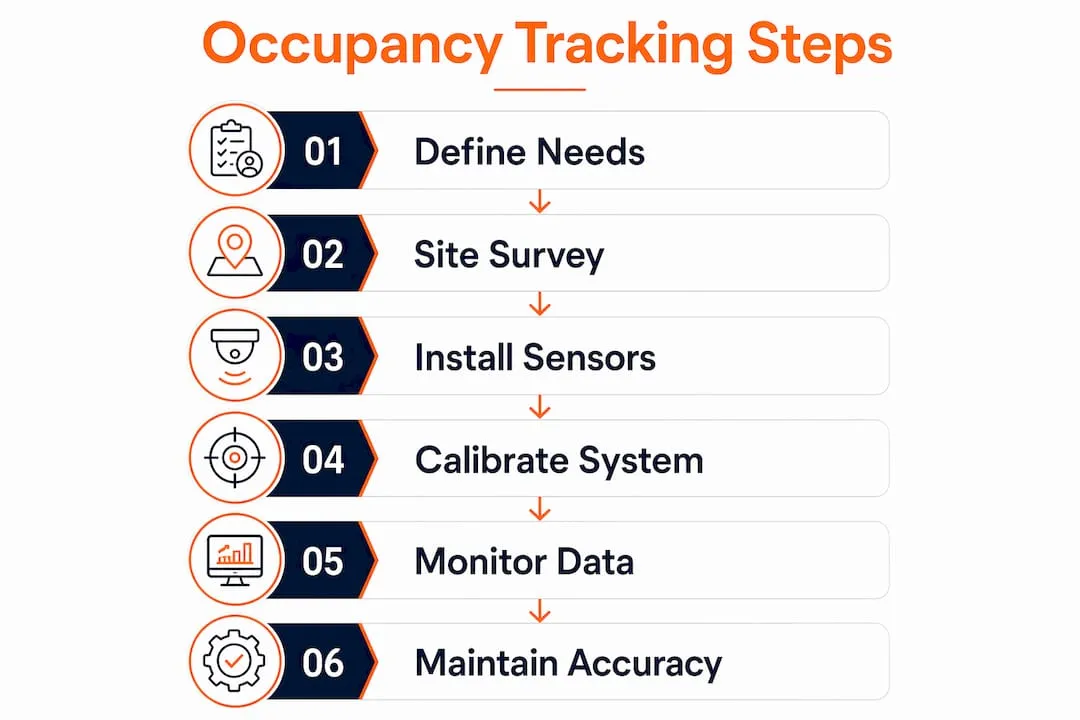
The core real-time occupancy tracking steps follow a six-phase workflow: define your measurement needs, conduct a site survey, integrate data systems, communicate with stakeholders, install and calibrate sensors, and tune the system on an ongoing basis. Each phase builds on the last. Skipping any one of them creates gaps that compound over time.
What hardware and software do you need before you start?
Getting the prerequisites right saves you from expensive rework. The sensor market offers five main types, and each fits different occupancy monitoring techniques and property layouts.
Sensor types compared
| Sensor Type | Accuracy | Best Use Case |
|---|---|---|
| Optical AI | Highest | Zone and headcount analytics |
| Radar | ~95% | Entry point counting |
| Thermal | High | Low-light or privacy-sensitive areas |
| PIR (passive infrared) | 40–95% | Basic presence detection |
| Wi-Fi/Bluetooth | Variable | Dwell time and flow mapping |
Radar sensors deliver approximately 95% accuracy at entry points, while PIR sensors range from 40–95% depending on placement and environmental conditions. That wide PIR range matters. A sensor installed near an air vent or in direct sunlight will perform at the low end of that range and produce unreliable data.
Beyond sensors, you need a live dashboard that aggregates feeds from all devices, a stable network, and a clear floor map of every zone you plan to monitor. For network infrastructure, dedicated IoT networks like LoRaWAN prevent bandwidth conflicts with guest Wi-Fi and improve sensor uptime. Running sensors on the same network your guests use creates interference and security exposure.
Privacy is a non-negotiable prerequisite. All sensors should capture anonymous count data only. No video storage, no facial recognition, no personally identifiable information. Document your data practices and make them available to guests on request.
Pro Tip: Conduct your site survey before purchasing any hardware. Room dimensions, ceiling heights, doorway widths, and furniture placement all affect which sensor type performs best in each zone.
How to deploy occupancy tracking in a vacation rental: step by step
A structured deployment protects your investment and produces data you can actually trust for operational decisions.
-
Define your measurement goals. Decide what you need to know before choosing any hardware. Do you need headcounts at the front door, zone-level data for common areas, or room-level data for HVAC control? Sensor choice must align with your intended analytics. Simple presence sensors cannot produce the headcounts needed for portfolio-scale decisions.
-
Conduct a site survey and map your zones. Walk every property and mark entry points, high-traffic corridors, common areas, and any zones with unusual lighting or airflow. Create a floor map that labels each sensor location with its zone name and expected traffic pattern. This map becomes your calibration reference later.
-
Select sensors matched to each zone. Use optical AI or radar sensors at primary entry points where headcount accuracy matters most. PIR sensors work for secondary rooms where simple presence detection is sufficient. Mixing sensor types across a property is normal and cost-effective.
-
Integrate sensor data with your management systems. Connect sensors to your dashboard via API or a building management system. For vacation rental operators managing multi-property portfolios, centralized data integration is the step that turns raw sensor feeds into actionable occupancy reports. Confirm that your dashboard displays live counts and logs historical data for trend analysis.
-
Communicate with stakeholders before installation. Inform guests through your listing descriptions and welcome materials that anonymous occupancy sensors are in use. This step prevents complaints and protects you from privacy-related disputes. Keep the language simple: sensors count people, not identities.
-
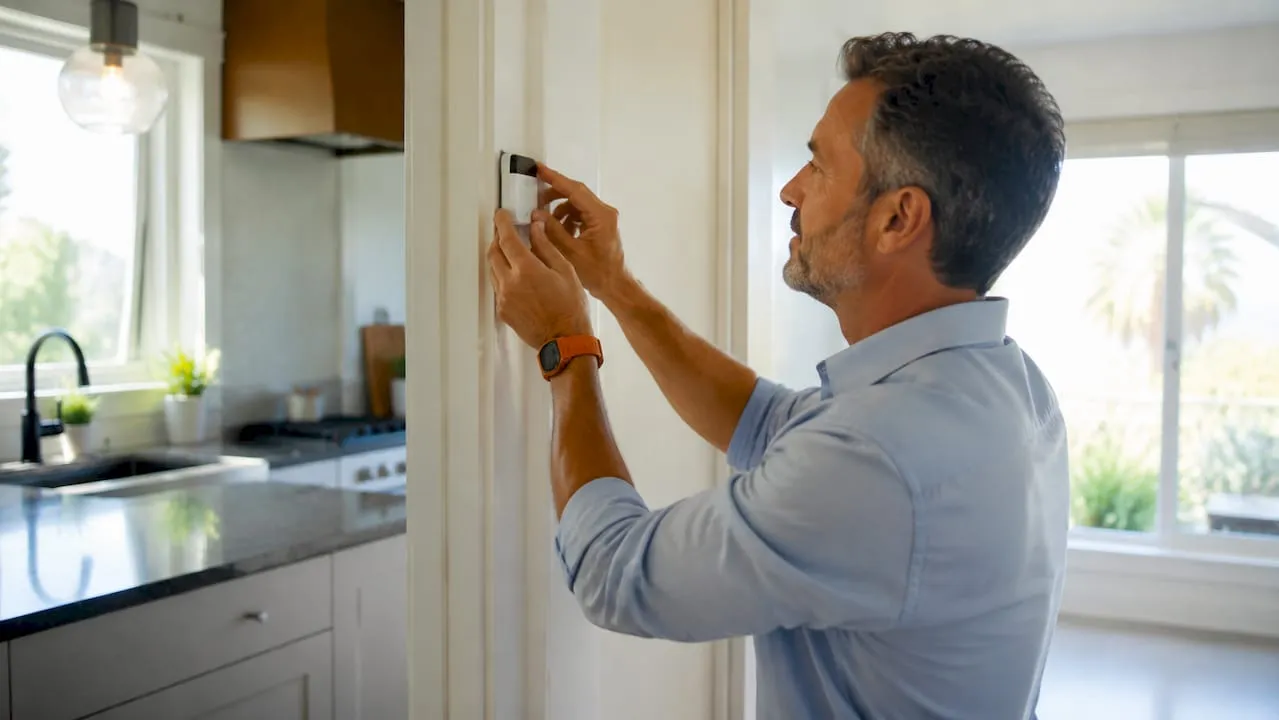
Install sensors and begin a two-week calibration period. Mount sensors according to manufacturer specifications, then run the system for 14 days before relying on the data for decisions. During this period, conduct manual physical counts in each zone and compare them to sensor readings daily.
Pro Tip: Dedicate 5–10 sample zones for manual counts during calibration. Match those zones to areas with different ceiling heights, lighting conditions, and traffic volumes so your threshold tuning reflects the real range of conditions across your property.
How do you calibrate and maintain occupancy tracking accuracy?
Calibration is where most deployments succeed or fail. Hardware choice matters less than how well you tune the system after installation.
The goal is to achieve greater than 90% accuracy across all monitored zones. Validating sensor data against physical counts over a 14-day period is the industry-standard method for reaching that threshold. During those two weeks, you adjust sensitivity settings, reposition sensors that produce consistent errors, and document the changes you make.
Common calibration errors to watch for:
- Tailgating: Two people entering simultaneously register as one count. Radar and optical AI sensors handle this better than PIR, but all systems need threshold adjustments at busy entry points.
- Sensor drift: Readings shift over time as environmental conditions change. Schedule quarterly reviews to re-validate accuracy against fresh manual counts.
- False triggers: Pets, moving curtains, and HVAC airflow can activate PIR sensors. Raise sensitivity thresholds in rooms where these triggers occur.
- Cumulative count drift: Small errors stack up over a full day. Daily resets or manual adjustments prevent a morning error from distorting your afternoon data.
Pro Tip: Set a calendar reminder for quarterly sensor reviews. Seasonal changes in sunlight angle and temperature affect sensor performance more than most managers expect, especially in properties with large windows or open floor plans.
What are the most common mistakes in occupancy tracking deployments?
Most deployment failures trace back to four predictable mistakes. Recognizing them before you start saves weeks of troubleshooting.
“Calibration is the most common failure point in occupancy tracking deployments. Skipping manual validation leads to false readings that erode trust in occupancy data.” — Office Sensor Implementation Guide, 2026
Wrong sensor for the job. A PIR sensor installed at a main entrance to count guests will produce unreliable headcounts. Match sensor capability to the specific data you need from each zone.
Network conflicts. Sensors running on guest Wi-Fi compete for bandwidth during peak occupancy. A dedicated IoT network eliminates this problem entirely and adds a layer of security between guest devices and your operational systems.
Skipping privacy documentation. Failing to disclose sensor use creates compliance risk. Most short-term rental platforms require hosts to disclose any monitoring devices. Anonymous occupancy counters typically qualify for disclosure, not prohibition, but you need to check the rules for each platform you list on.
No manual override. Systems without manual override functions accumulate errors from edge cases like tailgating or pets. Build daily reset protocols into your operations from day one.
What operational benefits do vacation rental managers actually see?
The benefits of following structured occupancy data collection methods show up quickly in operating costs and guest experience.
| Benefit Area | Typical Outcome |
|---|---|
| Cleaning cost reduction | 15–20% savings by scheduling cleans based on actual use |
| HVAC energy savings | 20–40% reduction from occupancy-responsive temperature control |
| Space utilization decisions | Data-backed choices on which areas to renovate or repurpose |
| Guest experience | Fewer complaints from overcrowded or under-serviced spaces |
| Portfolio management | Defensible occupancy records that support pricing and investment decisions |
The shift from reactive management to data-driven decisions is the most significant long-term benefit. Managers who rely on gut feel about when to clean or adjust HVAC settings consistently overspend on both. Live occupancy management strategies replace that guesswork with objective data that holds up to scrutiny when you review costs or justify pricing changes to owners.
Key Takeaways
Effective real-time occupancy tracking requires matching sensor types to specific zones, completing a structured two-week calibration, and maintaining quarterly accuracy reviews to keep data reliable enough for operational decisions.
| Point | Details |
|---|---|
| Match sensors to goals | Optical AI and radar sensors deliver headcounts; PIR sensors handle basic presence detection only. |
| Use a dedicated IoT network | LoRaWAN or equivalent networks prevent guest Wi-Fi conflicts and protect sensor uptime. |
| Calibrate for 14 days | Validate sensor readings against physical counts daily before trusting data for decisions. |
| Schedule quarterly reviews | Seasonal and environmental changes cause sensor drift that erodes accuracy without regular tuning. |
| Expect measurable cost savings | Targeted occupancy data cuts cleaning costs by 15–20% and HVAC energy use by 20–40%. |
What I’ve learned after watching too many managers skip calibration
The most expensive mistake I see property managers make is treating sensor installation as the finish line. They spend real money on hardware, get everything mounted correctly, and then go live without a single day of manual validation. Two months later, they tell me the data “doesn’t feel right” and they’ve stopped looking at it.
Calibration is not a technical formality. It is the step that turns a sensor network into a system you can trust. Environmental factors unique to each property, ceiling height, natural light, airflow patterns, furniture layout, affect sensor reliability in ways no manufacturer spec sheet can predict. The only way to know your system is accurate is to count people yourself and compare.
My honest advice: treat the two-week calibration period as seriously as you treat your first guest check-in. Walk the zones. Do the manual counts. Adjust the thresholds. The operational reporting you build on top of that data is only as good as the foundation you set in those first 14 days.
The managers who get the most from occupancy analytics are not the ones with the most expensive sensors. They are the ones who review their data quarterly, fix what drifts, and let the numbers drive their cleaning schedules, HVAC settings, and renovation decisions. That discipline is what separates a system that pays for itself from one that collects dust on a dashboard nobody checks.
— Jose
How Realtevoos connects occupancy data to your full rental operation

Occupancy sensors generate data. What you do with that data determines whether it saves you money or just adds complexity. Realtevoos is built for vacation rental operators who want occupancy insights connected directly to their operational workflows, not sitting in a separate system that requires manual exports. The platform consolidates data from Airbnb, Vrbo, and your property sensors into a single dashboard, so your cleaning schedules, HVAC adjustments, and portfolio reports all draw from the same live source. Property managers using Realtevoos report saving several hours each week on manual reporting alone. If you are ready to put your occupancy data to work, explore Realtevoos and see how it fits your portfolio.
FAQ
What sensors work best for vacation rental occupancy tracking?
Optical AI and radar sensors deliver the highest accuracy for headcounts at entry points and in common areas. PIR sensors work for secondary rooms where simple presence detection is enough.
How long does occupancy sensor calibration take?
Calibration requires at least 14 days of manual validation, comparing physical counts to sensor readings daily across multiple zones before the data is reliable enough for operational decisions.
Do I need to disclose occupancy sensors to guests?
Most short-term rental platforms require disclosure of any monitoring devices. Anonymous occupancy counters typically qualify for disclosure rather than prohibition, but you should verify the rules for each platform you list on.
Can occupancy tracking reduce my operating costs?
Property managers can reduce cleaning expenses by 15–20% and cut HVAC energy consumption by 20–40% by scheduling services based on actual occupancy data rather than fixed schedules.
What is the difference between presence detection and occupancy analytics?
Presence detection tells you whether a space is occupied. Occupancy analytics tells you how many people are present, how long they stayed, and how usage patterns change over time, which is the data needed for portfolio-level decisions.